

A grad student here at UH has developed an experimental IDE for researching plagiarism reduction in intro java courses and has asked for people willing to test it to see if the method works reliably. For this assignment, you specifically have to use this IDE.
.Instalation is considerably easier than other IDEs such as eclipse. Here is a video to get you started, or follow these steps
Installation on windows is easy, first download the zipped IDE Processing-windows.zip and extract it. Then launch Processing.exe. That should be all that is needed, the IDE should launch directly with no other install process
On Mac it is slightly harder, but not much. Download the zipped app Processing-mac.zip MacOs should automatically extract this for you. Find the app in your downloads folder and right click it. In this menu select open. You will see a warning asking if you trust the software, click yes and it should launch immediately with no further install.
If you are on Linux and do not have access to either of those, Email jamcd@hawaii.edu for a Linux version
If you have any other versions of processing on your computer, make sure they are closed. The IDE that pops up should have 0271 in the top corner and a small green > down in the bottom left corner. If either of these are missing you are using the wrong version.
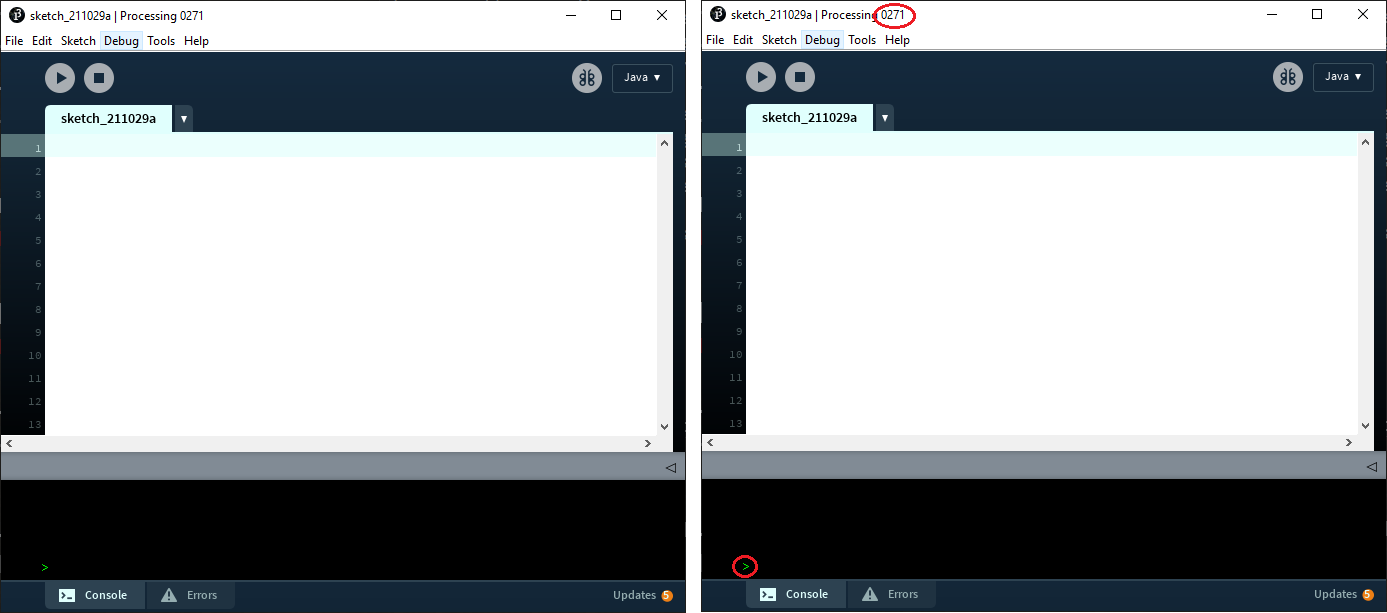
Processing is basically java, but the IDE handles the main class and function on its own. Instead you write a setup and draw function
void setup(){
	//setup code here
}

void draw(){
 	//draw code here
}
The setup function gets called exactly once at the start of the program, but the draw code gets called 60 times every second.
I highly recommend you watch the setup video for a better guide, and the processing reference will likely also be quite useful.
A few useful functions though
note: (0,0) is the top left corner, and (width,height) is the bottom right corner
For this assignment you must use processing to draw, color, and number an NxN "chessboard" with alternating black and white squares (you may use any 2 colors you like so long as they are distinctly differnt). You may use any method you choose to get N, it could be a global variable, or it could be determined from the window size, any method that is easily adjustable works fine. Your program should work for any number. For the numbering, any method is fine, so long as each square has a unique number from 0 to N2-1 (or 1 to N2 if you would prefer) The number must contrast with the background, and numbers on black squares should be colored differnly from numbers on white squares.
Here are a few examples:
If you encounter major IDE bug (i.e., couldn't save, etc.) write up a short bug report. Include what happened and what you expected to happen. If you can include what you did to cause the problem, or a step by step guide to reproducing the error. If you have them, also include instructions for bypassing the problem. Please submit this as a .txt or .pdf file
Note: There is unlikely to be a bug in the running of your program. If your code doesn't do what you expect or crashes, it is unlikely to be an IDE bug and more likely to be a bug in you code.