
Image Source Ox-drawn carts in Mumbai, India.
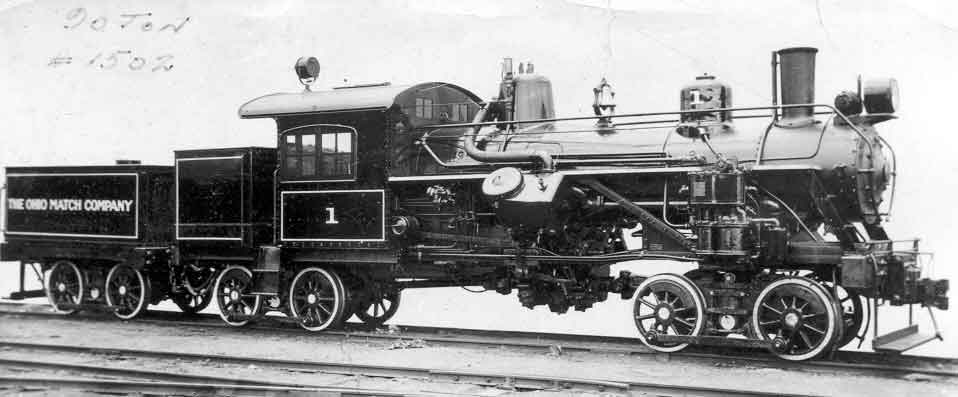
Image Source 90+ year-old photo of the, then brand new, Locomotive Park Heisler #1502
This lab requires three programs and will give you the chance to practice some calculations in Processing as well as make use of the turtle graphics module.
Tuesday demo
Assume that a typical ox weights around 2,000 lbs, and can produce a pulling force 2.5-3 times its own weight. This gives a figure of around 6,000 lbs of pulling force per ox. In many cases, multiple oxen are used to pull a single wagon.
Geared steam locomotives, such as the Heisler which is rusting away at Locomotive Park in downtown Lewiston, can pull up to the friction limit of their wheels. Unlike standard (non-geared) steam locomotives, a geared steam locomotive has a drive-shaft running the length of the machine, providing all wheel drive (including the wheels under the fuel supply). Steel wheels have poor traction on steel rails, and as such the maximum force is limited to around 30% of the locomotive weight (about 90 tons for the Lewiston Heisler).
Write a program that will calculate the pulling force of a locomotive in terms of oxen. The weight of the locomotive should be easily adjustable.
Unlike locomotives, bulldozers have excellent traction. The exact amount of traction depends on the surface the bulldozer is sitting on, but 1.75 times the weight of the bulldozer seems to be a reasonable value (source: various non-authoritative forum posts).
Make a copy of Program 1 and modify it so that the traction is adjustable (instead of 30%, or 0.3, use 1.75). Test the program with the Caterpillar D5, a typical bulldozer like you might see at a house construction site. Check it again with the Caterpillar D11 or the Komatsu D575A, which are large bulldozers used for surface mining. YouTube video of a Komatsu D575A destroying things.
antx = 500 // Intial positions
anty = 500
repeat many times:
	old_antx = antx;
	old_anty = anty;
	antx += a random number from -5 to 5
	anty += a random number form -5 to 5
	line(antx, anty, old_antx, old_anty)
That's not perfectly valid processing.
for(int i = 0; i < 500; i++) {